

Try Hotspot Shield, 100% Risk-Free!
No questions asked!
Try Hotspot Shield Now Try risk-free for 45 days
Download Hotspot Shield VPN for iOS
Get the best VPN for iPhone today and enjoy secure, private access to content
Install Hotspot Shield VPN on your device
Hotspot Shield VPN for iOS
Hotspot Shield is the “world’s fastest VPN,” as verified by Ookla’s Speedtest. By connecting to one of our 1800+ VPN servers in 80+ countries — including 35+ cities around the world — your internet traffic is encrypted. This ensures you can browse the web securely and privately, keeping your sensitive data protected.
How do I download an iOS VPN?
Follow these simple four steps to easily download a VPN for iOS iPhone and iPad in seconds.
Step 1
Download
Download Hotspot Shield VPN on your iPhone or iPad
Step 2
Connect
Open up the Hotspot Shield app and click “Connect”
Step 3
Select location
Select the VPN server location you wish to connect to
Step 4
You’re all set
Enjoy your favorite content with peace of mind
Features for iOS

Military-grade encryption
Privacy and security that also blocks 57 million malware and phishing sites a day

Global internet access
We offer 1800+ servers in 80+ countries, including 35+ cities around the world

Patented Hydra protocol
Hotspot Shield’s proprietary Hydra VPN protocol is verified by experts as the fastest, most secure on the market

Unlimited bandwidth
Get Premium today and stream as much as you want. Unlimited bandwidth means you never have to stop.

24/7 live tech support
We’re here to help Premium members with any questions or issues. We’ll be with you in seconds, not minutes or hours.

45-day money-back guarantee
We’re so confident you’ll love everything about Hotspot Shield, you can try it completely risk-free for 45-days

Link up to 10 devices
Create an account to link up to 10 devices, including your phone, tablet, and TV

Privacy you can trust
We don’t record your VPN browsing activity in any way that can be associated to you
Why choose Hotspot Shield VPN for iOS
Access the internet without borders
With 1800+ VPN servers in 80+ countries — including 35+ cities around the world — it’s never been easier to access content from across the globe. Whether you’re traveling abroad and want to watch your favorite streaming service as if you were back home, or whether you need to access websites and services that are restricted in your area, Hotspot Shield’s sophisticated encryption means you can access the content you want, when you want it.
“By far the fastest VPN”
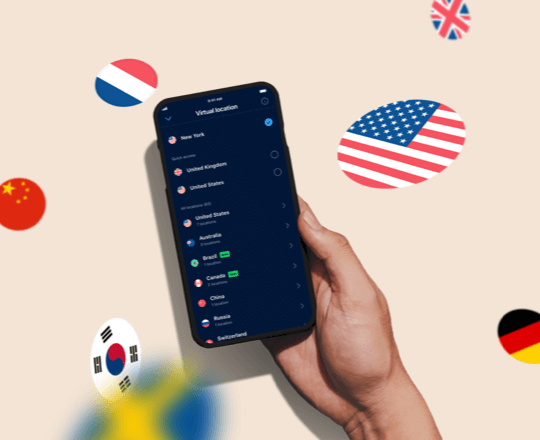
Access the internet without borders
With 1800+ VPN servers in 80+ countries — including 35+ cities around the world — it’s never been easier to access content from across the globe. Whether you’re traveling abroad and want to watch your favorite streaming service as if you were back home, or whether you need to access websites and services that are restricted in your area, Hotspot Shield’s sophisticated encryption means you can access the content you want, when you want it.
“By far the fastest VPN”
World’s fastest VPN, verified by experts
Top10VPN, the leading independent VPN review site, found that Hotspot Shield had the fastest connection speeds among other top VPN brands including ExpressVPN, NordVPN and Surfshark. With its proprietary Hydra protocol and advanced features, Hotspot Shield is able to offer the fastest wi-fi speeds and military-grade protection no matter where you connect.
Frequently Asked Questions
What is the best free VPN for iPhones and iPads?
With blazing-fast performance, military-grade encryption, and global access, Hotspot Shield is the best free VPN for iPhones and iPads. Hotspot Shield Basic, our free app, gives you a simple way to stay secure your device on public Wi-Fi networks, like those at your local coffee shop.
For more features – such as 115+ virtual locations, unlimited data, fastest VPN*, 24/7 tech support, and much more — we offer Hotspot Shield Premium, the fastest VPN* for streaming and secure internet access.
* The Fastest VPNs in 2026
Why do I need a VPN on my iPhone or iPad?
Hackers and identity thieves frequently target mobile devices. They take advantage of the poor security protections provided by public Wi-Fi networks. With the right tools, anyone can intercept your data or access your personal information.
Hotspot Shield VPN for iPhone and iPad keeps your data secure. Military-grade encryption ensures that hackers and identity thieves cannot decipher your data. You also get protection from people and companies trying to track your web browsing activity.
How do I install a VPN on my iPhone or iPad?
Installing Hotspot Shield VPN on your iPhone or iPad is seamless. Simply tap the “Get started” button below and select your plan. When you open Hotspot Shield VPN for iPhone or iPad for the first time and sign in, your device will ask if you want to allow automatic configuration. Tap “Allow” and then authorize the new VPN settings.
How do I use a VPN for iPhone?
Whenever you want to use Hotspot Shield VPN on your iPhone or iPad, you can open the app and tap “Connect.” Your Wi-Fi connection will be instantly encrypted, securing your online activity.
Additionally, you can choose your VPN server location. We host servers in more than 80 countries. You can even choose from 35+ individual cities. No matter where you’re located, you will look like you’re connected to the internet in the location of the server you choose. This restores your access to local content libraries on services like Amazon Prime Video, Netflix, Hulu, BBC iPlayer, and more.
One of the most trusted and secure VPNs
Always dependable
Essential for peace of mind